
Sorter
The sorter watches the folders you choose. A few seconds after a new file arrives, it moves it into a folder that fits it, inside the watched folder:
| Folder | What goes there |
|---|---|
| Work | Anything about a business or job: invoices, orders, reports, specs, data exports |
| Personal | Your own documents: IDs, bank statements, receipts, medical, certificates |
| Images | Photos, screenshots, logos, wallpapers |
| Installers | Apps, disk images, packages, VPN profiles |
| Archives | Zip, tar, rar and other compressed files |
| Media | Audio and video |
| Code | Source code and scripts |
| Other | Manuals, articles, ebooks, anything else |
Sorting runs on your Mac with Apple’s on-device model. Nothing is uploaded.
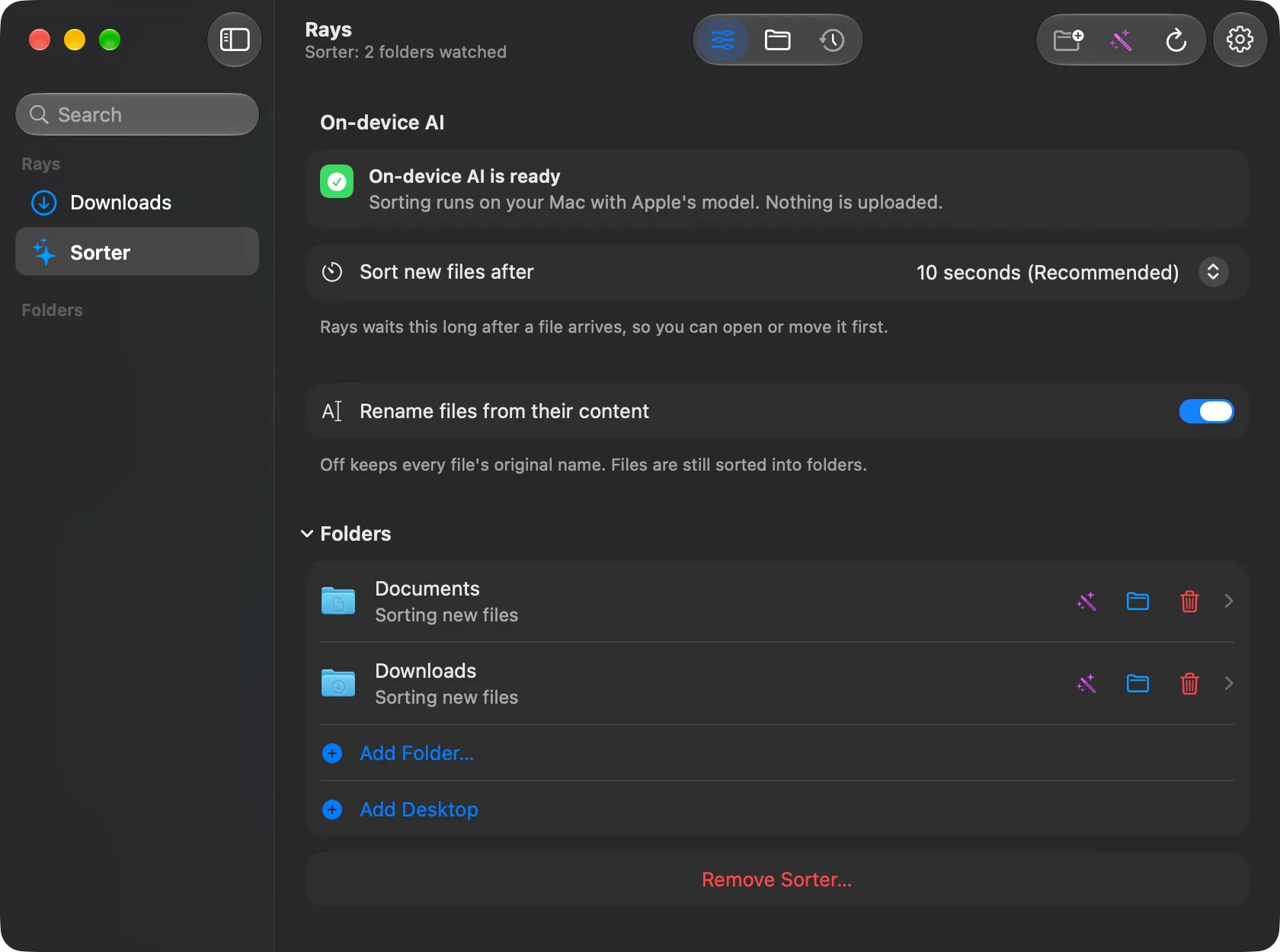
Set up
Section titled “Set up”Open Sorter in the sidebar. The Setup tab (the sliders icon in the toolbar) has:
- On-device AI: shows whether Apple Intelligence is ready.
- Sort new files after: how long Rays waits after a file arrives, so you can open or move it first. 10 seconds is recommended.
- Rename files from their content: gives files clear names from what is inside them. Turn it off to keep original names; files are still sorted.
- Folders: the folders Rays watches. Each row has icons to sort now, show in Finder, and stop watching. Use Add Folder… or Add Desktop to add more.
- Remove Sorter…: stops sorting every folder.
Files that were in a folder before you added it stay where they are. To sort those too, run dl sort FOLDER --all.
Choose where a category goes
Section titled “Choose where a category goes”Click a folder row to open it. Under Where files go, pick a category to send it to another folder (for example Work to ~/Documents/Work), use the default folder inside, or show it in Finder.
Browse sorted files
Section titled “Browse sorted files”- Files tab (the folder icon): your sorted folders as a Finder-style list or as icons. Double-click a folder to open it, or a file to open it in its app.
- Recent tab (the clock icon): the latest moves. Click a row to open the file; the magnifier shows it in Finder.
Update older sorter setups
Section titled “Update older sorter setups”If you used the sorter before it was built into Rays, the Setup tab shows Update All. It switches those folders to the sorter inside Rays. Nothing is moved.