 Raysby a6n
Rays sorts your downloads into folders that fit them.
A download manager for Mac that files every download where it belongs.

brew install --cask a6n-ai/tap/raysDMG: on first open, go to System Settings, Privacy & Security, Open Anyway. Homebrew installs skip this.
Rays runs on Macs with macOS 26 or later.
Downloads
Paste links in any format: one per line, separated by commas, or a whole CSV. Rays finds every link.
- Smart splitting
- Files of 4 MB or more come down in parts over up to 16 connections. Rays adds connections while the speed keeps rising, and a finished part takes over half of the slowest part's work.
- Learns slow servers
- When a server pushes back or drops connections, Rays remembers it and uses fewer next time. A server that cannot send parts gets one connection.
- Retries and resume
- Up to 5 automatic retries, waiting 2 seconds at first and up to a minute. Pause, quit, come back: the download continues from the bytes already saved.
- Your limits
- Set a speed limit and how many files download at once, from 1 to 10.
- Safe names
- Rays takes the name the server suggests and cleans it, so a file can never land outside your folder.
Sorting
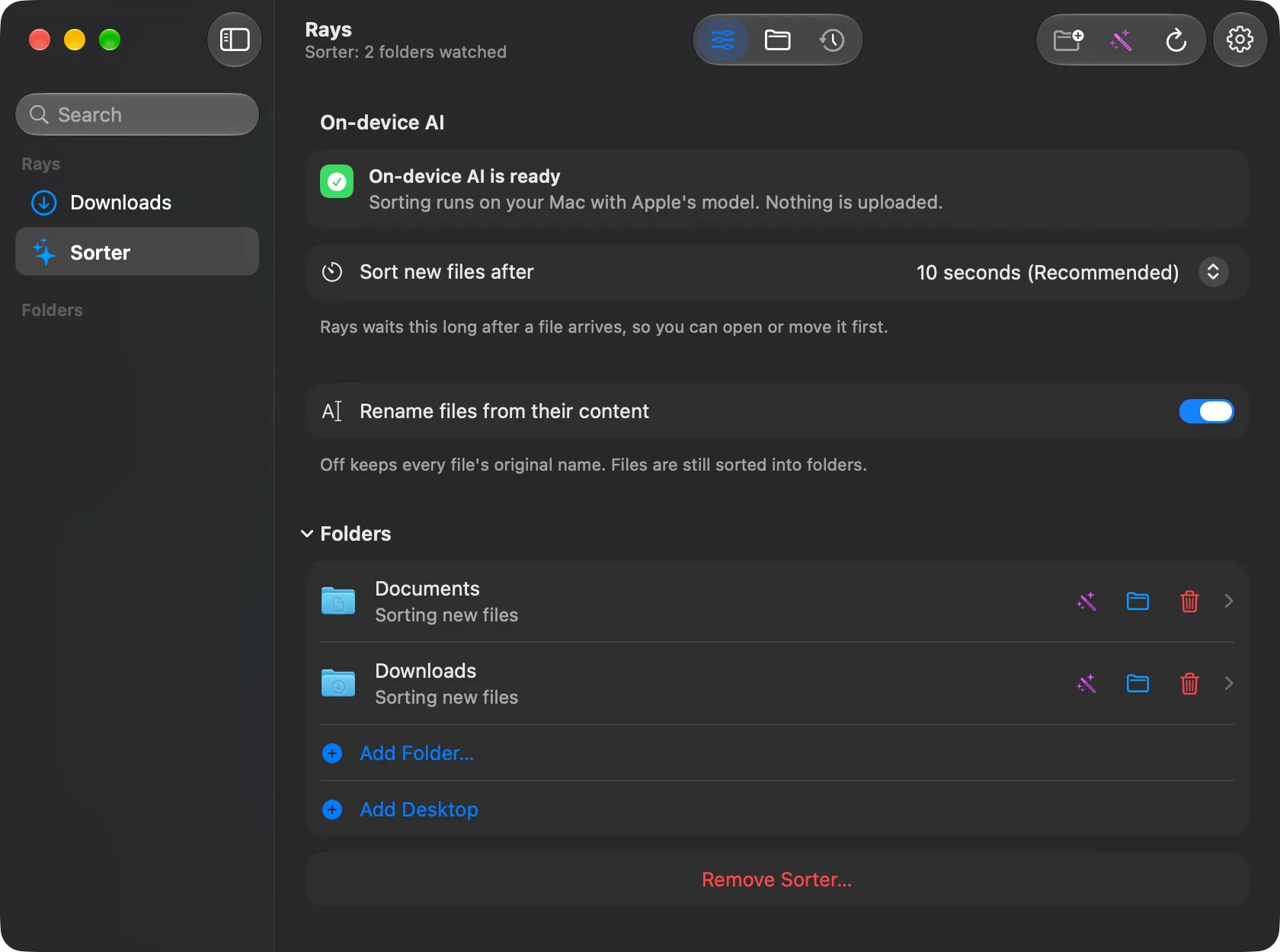
Rays watches Downloads and any folder you add. A few seconds after a file arrives, it moves it into a folder that fits, like Installers, Archives, Images or Work.
It can also rename files from what is inside them. Turn that off to keep every original name.
Private
Sorting runs on your Mac with Apple's on-device model. Nothing is uploaded, and there is no account.
Anywhere
The Homebrew install adds the dl command, so you can start downloads from Terminal. A browser extension for Chrome and Firefox sends downloads to Rays; it is a developer install for now.
When a new version is out, Rays shows a small note so you can update.
Made by a6n
Rays is open source under the AGPL-3.0 licence. The code, issues and releases live on GitHub.
Updates
Get an email when a new version of Rays is out.
This opens your email app with a message to [email protected]. Send it to join.